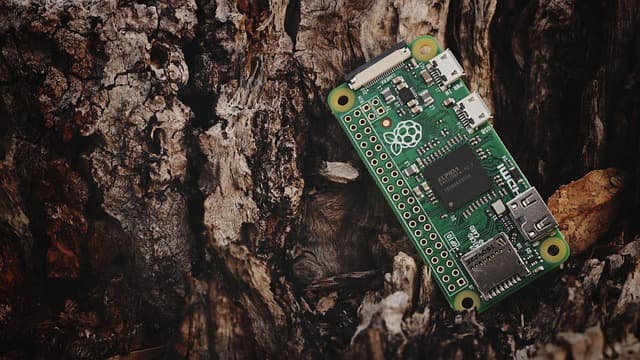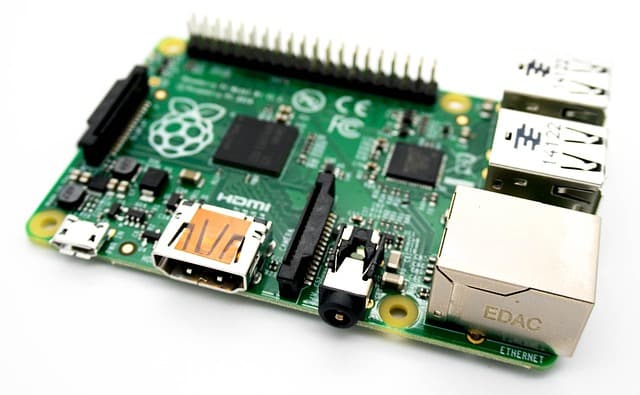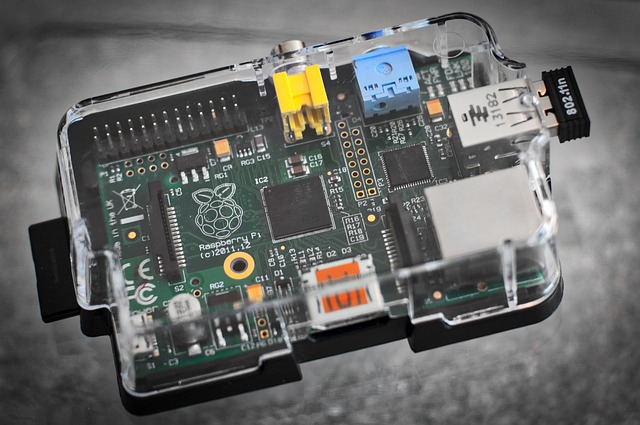
The Raspberry Pi is a single board computer no bigger than a credit card. All its ports and components are compactly stacked, the computer can be powered by USB, it can be carried in your pocket, plus it costs much cheaper than any monoblock computer.
On the downside, it doesn’t have its own monitor (you have to plug in an external one), its storage is limited to a memory card or USB drive, and it doesn’t have the fastest processor. Nevertheless, you can do a lot of great things on this Raspberry. Here are a few examples.
A real desktop computer
Difficulty: 5/5.
Time: 5/5.
You can insert a card with the Raspbian operating system pre-installed into the Raspberry Pi and boot it up as an ordinary computer. You will hardly be able to play toys on it, but you can work with documents, surf the Internet, listen to music and watch movies – no problem. Also the basic distribution includes a package of office programs. And all this on a board for 35 dollars!
Besides the board itself you will need a memory card, a power supply, a monitor with HDMI cable and a mouse and keyboard. Everything else is on the board itself: Wi-Fi, Bluetooth, network port and headphone jack.
Your own cloud storage
Difficulty: 3/5.
Time: 2/5.
Why pay for cloud storage services when you can make your own? If you’re paranoid and don’t want to store your personal photos on someone else’s server, this is quite the option for you. Especially since the size of storage and download speed depend only on yourself.
Setting up such a service is done in two steps: first, we install Linux, for example, the same Debian, and then set up remote access. As a result, your cloud can be used for anything: to store mail, files, photos from vacations, work projects for the team or movies that you are sorry to delete after viewing.
The only downside is that for uninterrupted access to your files, the service must work around the clock.
Music player
Difficulty: 2/5.
Time: 3/5.
If you have a few hours of free time, good speakers and internet, here’s what you can get:
- streaming music from Spotify, SoundCloud, Google Music, Apple Podcast;
- you can listen to music of any format from a flash drive and over your home network and share it via Bluetooth.
Such a player is good for background music. For music lovers and audiophiles it won’t be suitable, because the built-in audio chip on Raspberry doesn’t give the cleanest sound. But you can connect an external card!
Turning an old TV into a home media center
Difficulty: 1/5.
Time: 2/5.
Continuation of the previous topic about entertainment. Using the same software, you can turn any TV, even the oldest one, into a full-fledged home media center – just connect it via HDMI. If the TV is so old that there are only ancient “tulpans”, an adapter will help.
Install Kodi, customize the picture, connect to the network and you can watch TV series and streams even on tube TVs. And if you add a keyboard, the TV turns into a media monster that works with any video content in the world.
Heating stove with wireless control
Difficulty: 4/5.
Time: 5/5.
A smart home isn’t just about weather sensors and colored lights around the rooms. How about smart heating and a real fire? One fellow took an old stove, made missing parts and got fully automatic temperature control with remote control via the internet.
Official warning: this all really works, but requires an engineering degree and knowledge of physics and thermodynamics. You should not build such a system and control an open fire from a gas cylinder if you are holding a low-pressure gas valve for the first time in your life.What is an array in PHP and how not to get confused by brackets.